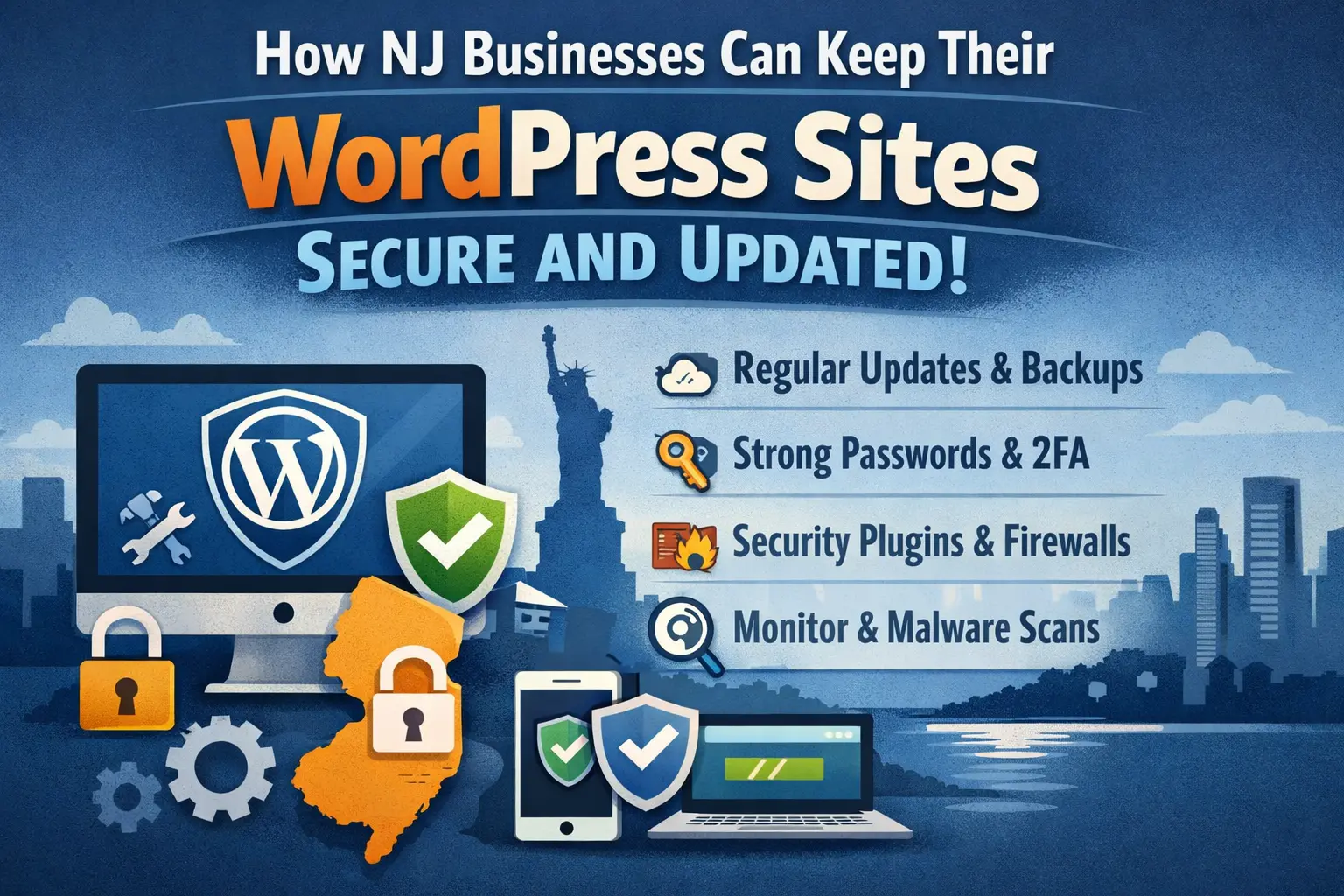
NJ businesses can keep their WordPress websites secure by regularly updating WordPress core, plugins, and themes, using reliable security plugins, maintaining automated backups, and monitoring for vulnerabilities. A consistent WordPress maintenance routine prevents common cyberattacks, improves website performance, and protects customer trust.
Why WordPress Security and Maintenance Matter for NJ Businesses
WordPress is the most widely used website platform in the world. While its flexibility and large ecosystem make it ideal for businesses, its popularity also makes it a frequent target for cyberattacks.
According to W3Techs, WordPress powers more than 43% of all websites on the internet, making it the dominant content management system globally. Because so many businesses rely on WordPress, attackers frequently search for vulnerabilities in outdated plugins, weak login credentials, or poorly maintained websites.
For businesses in New Jersey, a website often acts as the primary digital storefront. Customers frequently evaluate a company based on how professional and trustworthy its website appears.
If a website becomes slow, compromised, or displays security warnings, visitors may immediately lose trust and leave the site. For hands-on help, our ongoing support service keeps everything patched.
A secure and well-maintained website helps businesses:
- Protect customer data
- Maintain search engine visibility
- Prevent downtime and service disruptions
- Improve overall user experience.
However, many security problems occur not because of sophisticated attacks but because of simple maintenance mistakes. Pair these security habits with a practical maintenance checklist for NJ sites.
WordPress Security and Maintenance Checklist for Businesses
Maintaining WordPress security requires a combination of regular updates, monitoring, and preventive measures. A structured maintenance routine helps businesses identify issues early and reduce the risk of security breaches. Security is easier to maintain when your site sits on a solid, well-built foundation.
The following checklist outlines essential tasks that keep WordPress websites secure and functioning properly.
| Task | Purpose | Recommended Frequency |
|---|---|---|
| Update WordPress Core | Fix bugs and security vulnerabilities | As updates release |
| Update Plugins & Themes | Prevent exploits in outdated software | Weekly |
| Malware Scanning | Detect malicious files or code | Weekly |
| Website Backups | Protect website data and allow quick recovery | Weekly |
| Security Monitoring | Detect suspicious login or activity patterns | Continuous |
| Performance Checks | Ensure website loads quickly and efficiently | Monthly |
| Disable File Editing in WordPress | Reduce risk of attackers injecting malicious code through the dashboard | One-time configuration |
| Use Secure Web Hosting | Provide server-level protection such as firewalls, monitoring, and malware scanning | Ongoing / Hosting-level security |
| Limit Login Attempts | Prevent brute-force attacks by blocking repeated login attempts | Continuous protection |
Updating WordPress core is one of the most important security tasks. Core updates frequently include patches for newly discovered vulnerabilities.
Plugins and themes should also be updated regularly because developers release updates to fix compatibility issues and improve security protections.
Malware scans help identify suspicious files that may indicate a security breach. Early detection allows administrators to remove threats before they affect visitors or search engine rankings.
Backups provide a safety net if a website experiences an unexpected issue. With a recent backup, administrators can restore the website quickly without losing important content.
Security monitoring tools track unusual behavior such as repeated login attempts or unauthorized changes. These alerts allow administrators to investigate potential threats immediately.
Finally, performance checks ensure that websites continue to load quickly. Slow websites can indicate technical issues or security problems that require attention.
Together, these maintenance tasks form the foundation of a reliable WordPress security strategy for businesses.
Essential WordPress Security Practices for NJ Business Websites
Maintaining WordPress security requires consistent preventive measures. Businesses that follow structured security practices reduce the risk of hacking attempts, malware infections, and unexpected downtime.
1-Keep WordPress Core Updated
WordPress developers regularly release updates that fix bugs and patch security vulnerabilities. Installing these updates promptly ensures that known weaknesses cannot be exploited by attackers.
Delaying updates leaves websites exposed to security risks that are already publicly documented.
2- Update Plugins and Themes Regularly
Plugins and themes extend website functionality, but they also introduce potential vulnerabilities.
Developers frequently release updates to address security flaws or compatibility issues. Keeping plugins and themes updated ensures the website runs stable and secure.
Businesses should also remove unused plugins, as inactive plugins may still contain vulnerabilities.
3- Install Reliable WordPress Security Plugins
Security plugins add an additional protection layer by monitoring suspicious activity and blocking malicious traffic.
Popular security plugins include:
- Wordfence
- Sucuri Security
- iThemes Security
These tools help detect malware, prevent brute-force login attacks, and monitor file changes within the website.
4- Enable Two-Factor Authentication (2FA)
Two-factor authentication adds an additional verification step when logging into the WordPress dashboard.
Even if attackers obtain login credentials, they cannot access the account without the second verification code generated by an authentication app.
This significantly reduces the risk of unauthorized access.
5- Use Strong Password Policies
Weak passwords remain one of the most common causes of website breaches.
Administrators should enforce strong password policies that require:
- Long passwords
- A mix of characters and numbers
- Unique credentials for each account.
Password managers can help generate and store secure login information.
6- Implement Automatic Website Backups
Backups allow businesses to restore their website quickly after a technical failure or security incident.
Backup systems should store both website files and database content. Many backup tools allow automatic daily backups stored in secure cloud locations.
7- Use SSL Encryption
Secure Socket Layer (SSL) encryption protects data transmitted between the website and visitors.
Websites using HTTPS encrypt login credentials, form submissions, and other sensitive data.
Google has confirmed that HTTPS is also a ranking factor for search results.
8- Monitor Website Performance
Performance monitoring helps detect technical or security issues early.
According to Google research, 53% of mobile users abandon websites that take longer than three seconds to load.
Source:
Regular monitoring helps identify slow loading speeds, broken links, or unusual behavior that may indicate deeper technical problems.
9- Disable File Editing in WordPress
WordPress allows administrators to edit theme and plugin files directly from the dashboard. While convenient, this feature can be risky if unauthorized users gain access. Disabling file editing reduces the chances of malicious code being injected into your website.
10- Use Secure Web Hosting
Choosing a reliable hosting provider plays a crucial role in website security. Quality hosting services offer features such as firewalls, malware scanning, server monitoring, and regular backups, which help protect websites from cyber threats.
11- Limit Login Attempts
Hackers often use brute-force attacks to guess login credentials. Limiting the number of login attempts helps prevent automated bots from repeatedly trying to access your website.
security research indicates that over 90% of WordPress sites experience brute-force login attempts each year, highlighting how common these attacks are.
By limiting login attempts to 3–5 tries before temporarily locking the account or IP address, businesses can significantly reduce the chances of automated bots successfully guessing login credentials and gaining unauthorized access.
Common WordPress Security Risks That Affect Business Websites
Understanding common vulnerabilities is the first step toward protecting a business website. Most security issues arise from a small number of predictable problems.
Outdated Plugins and Themes
Plugins add useful functionality to WordPress websites, but they can also introduce security vulnerabilities if they are not updated regularly.
According to security research from Patchstack, approximately 96% of WordPress vulnerabilities originate from plugins.
Developers frequently release updates that patch these vulnerabilities. When website owners delay updates, attackers can exploit known flaws to gain unauthorized access.
Outdated themes can create similar problems. Even if the core WordPress system is updated, older themes may still contain vulnerabilities that attackers can target. Keeping plugins and themes updated significantly reduces these risks.
Weak Passwords and Login Attacks
Another common security risk involves weak login credentials.
Automated bots frequently attempt brute force attacks, which involve trying thousands of password combinations to gain access to WordPress admin accounts.
If an administrator account uses a simple password such as “admin123” or “password,” attackers may gain access quickly.
Once inside the website dashboard, attackers can install malicious plugins, redirect visitors to spam websites an steal sensitive information.
Using strong passwords and enabling additional login protections significantly reduces the likelihood of these attacks.
Lack of Website Backups
Many businesses overlook backups until a problem occurs. Without reliable backups, recovering a hacked or damaged website becomes much more difficult.
A security breach, server failure, or accidental configuration change can remove important content from the website.
Without a backup, businesses may lose important data such as customer inquiries, their pages, including blog posts, and product listings can be lost as well
Regular backups allow administrators to restore a website quickly if an issue occurs.
Unsecured Hosting Environments
Website security also depends heavily on the hosting environment.
Low-quality hosting providers may lack important security features such as:
- Firewall protection
- Malware monitoring
- Server-level security updates.
A poorly secured hosting environment can expose websites to attacks even if the WordPress installation itself is properly maintained.
Choosing reliable hosting providers and regularly monitoring server security helps reduce these risks.
Best WordPress Security Plugins for Business Websites
Security plugins provide automated protection and monitoring features that help safeguard WordPress websites.
| Plugin | Key Features | Best For |
|---|---|---|
| Wordfence | Firewall, malware scanning, login protection | Comprehensive website security |
| Sucuri | Security monitoring, malware detection, firewall | Continuous website monitoring |
| iThemes Security | Brute force protection, login monitoring | Login security |
| All-In-One WP Security | Firewall and security configuration tools | Small business websites |
Using a reliable security plugin alongside regular updates and monitoring creates a stronger defense against common website threats.
Signs Your WordPress Website May Have Security Issues
Even well-maintained websites can develop security problems over time. Identifying early warning signs allows businesses to respond quickly before an issue escalates into a serious disruption. Below are a few signs that indicate your website may be at risk.
- Unusual website slowdowns without any clear reason
- Unexpected pop-ups or redirects to suspicious websites
- Unknown administrator or user accounts appearing in WordPress
- Google or browser security warnings about the site being unsafe
- Modified, missing, or defaced website content
- A high number of failed login attempts or login alerts
- Strange or unfamiliar files appearing in WordPress folders
- Spam emails being sent from your domain without your knowledge
- Website being blacklisted by search engines or security services
- Plugins or themes installing, updating, or deactivating automatically
Why Many NJ Businesses Use WordPress Maintenance Services
Managing WordPress security requires ongoing attention. While some business owners attempt to manage updates themselves, many prefer to work with professional WordPress maintenance providers.
Maintenance services typically handle plugin updates, malware monitoring, performance checks, and regular backups. These tasks ensure the website remains stable and secure as new vulnerabilities are discovered and patched.
Working with professionals also allows businesses to respond quickly to unexpected technical problems. Instead of spending hours troubleshooting issues, website owners can rely on experienced developers who are familiar with WordPress security practices.
Security experts often emphasize that website protection is not a one-time task but an ongoing process that requires continuous monitoring.
This perspective highlights the importance of consistent website maintenance rather than relying on a single security solution.
How Often Should Businesses Maintain Their WordPress Website
A consistent maintenance routine helps ensure that WordPress websites remain secure and functional over time. Because new vulnerabilities and updates appear frequently, regular monitoring is essential.
Most businesses review plugin and theme updates at least once per week. WordPress core updates should be installed as soon as they are released because these updates often contain important security patches.
Backups should be performed frequently to protect website data. Many businesses schedule automatic daily backups so the website can be restored quickly if an issue occurs.
Security scans and performance checks should also be performed regularly. Monitoring tools help identify malware, broken links, and performance problems before they affect users.
Following a structured maintenance schedule allows businesses to reduce vulnerabilities while ensuring their websites continue operating smoothly.
Conclusion
Keeping a WordPress website secure requires consistent updates, monitoring, and preventive maintenance. Businesses that actively manage plugin updates, backups, and security monitoring significantly reduce the risk of cyberattacks.
For NJ businesses that rely on their websites to attract customers and generate leads, maintaining a secure and well-optimized WordPress site is essential. A structured maintenance routine helps ensure the website remains reliable, performs well in search engines, and continues supporting long-term business growth.
Frequently Asked Questions
How often should WordPress plugins be updated?
Plugins should be updated whenever developers release updates. Many businesses review updates weekly to ensure security patches and compatibility improvements are installed promptly.
Can outdated plugins cause security breaches?
Yes. Outdated plugins frequently contain known vulnerabilities that attackers exploit to gain access to WordPress websites.
What is the best way to secure a WordPress business website?
A combination of regular updates, security plugins, backups, strong passwords, and monitoring tools provides the most effective protection.
Do small businesses need WordPress maintenance services?
Many small businesses rely on professional maintenance services because they provide consistent monitoring, updates, and technical support.
What happens if a WordPress website gets hacked?
A compromised website may display malicious redirects, unusual warnings, or unauthorized changes. Immediate security scans, cleanup procedures, and restoring backups are often required.