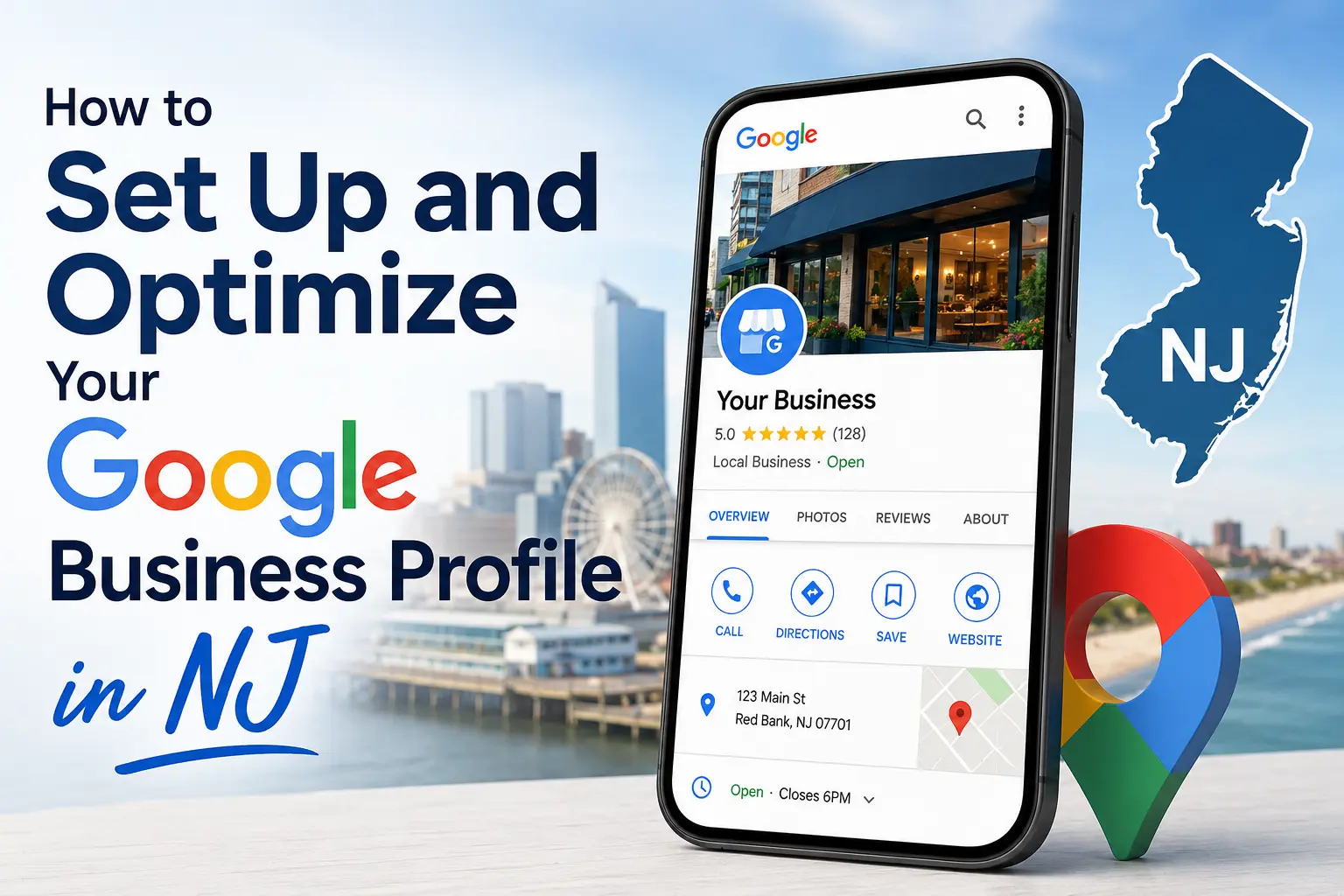
To set up and optimize your Google Business Profile in New Jersey, create a free profile at google.com/business, verify it through phone, postcard, video, and email, then fill every field with accurate, location-specific details and keep posting, reviewing, and updating it every week. The setup itself takes around 30 minutes. The optimization is what wins the Map Pack, and in a state as dense as New Jersey, that ongoing work decides who gets the call and who watches a competitor get it.
New Jersey businesses face a tougher local search market than most of the country. Bergen, Hudson, and Essex counties pack thousands of competing listings into small radii, so a half-finished profile sinks fast. The businesses that hold their spot treat the profile as a living asset, not a one-time task.
Key Takeaways
- Setup takes about 30 minutes; verification adds anywhere from a few minutes to 14 days depending on the method Google assigns.
- The Map Pack captures roughly 42 percent of local-search clicks, so a top-three spot is the prize.
- Your primary category is the single highest-impact field on the entire profile.
- NAP consistency across NJ directories, county chambers, and town association sites directly affects your Map Pack ranking.
- A complete, verified profile in competitive NJ counties typically shows movement in three to four months, faster in lower-competition areas.
- Weekly activity, fresh photos, posts, and review replies, signals to Google that the profile is actively managed.
What a Google Business Profile Does for an NJ Business
A Google Business Profile is the free listing that puts your business on Google Search and Google Maps. When someone in Hoboken types “coffee shop near me” and “HVAC repair Paramus,” Google pulls from these profiles to build the local results and the three-listing Map Pack at the top. That placement decides who gets found: Backlinko found that 42 percent of local-search clicks land on the Map Pack. For location-dependent businesses, this listing often matters more than the homepage itself, and it sits at the center of our New Jersey SEO services work for local clients.
The profile carries your name, address, phone number, hours, photos, services, and reviews. It feeds Google Search, Maps, and increasingly the AI-generated summaries that answer “near me” questions on mobile. A New Jersey dentist, plumber, salon, and restaurant all live and die by how they show up in that local block.
Google reports that businesses with a complete, verified profile read as more reputable to people scanning the results. That trust signal compounds in a market where shoppers compare three listings side by side before they ever click. A blank, unverified profile reads as a red flag next to two fully built competitors.
Intent runs hot in local search. People who search with a town name, and people who add a “near me” tag, are usually close to acting rather than browsing. A New Jersey plumber whose profile is missing when a Paramus homeowner searches at 9 p.m. simply hands that job to whoever did show up. The profile is the storefront for that moment, and an empty one turns ready buyers away.
Step One. Confirm Eligibility and Gather Your Details
Before you create anything, confirm your business qualifies. Google requires that you make contact with customers in person, at a storefront, as well as at the customer location, like a mobile groomer, say, an HVAC technician driving across Morris County. Online-only businesses with no in-person interaction are not eligible.
Pull together the details Google will ask for so setup runs without stalls:
- Exact legal business name as it appears on signage and documents
- Physical address, even a home address you plan to hide later
- Working phone number reachable during business hours
- Primary business category and any secondary categories that apply
- Service area, listed by NJ towns and counties you actually serve
- Website URL and hours of operation
Keep this information identical to what already appears on your website and other listings. A mismatched phone number, a wrong address, even inconsistent hours confuses both customers and Google. Reconcile your sign out front with every online entry before you go live.
Step Two. Create the Profile
Sign in to a Google account, then head to google.com/business and select the option to create a profile. Google walks you through name, category, location, and contact fields one screen at a time. Add the address if you serve customers at a fixed site. Select “No” on the in-person-at-address question if you run a service-area business, and Google hides your home address from public view and still ranks you for the towns you cover.
This is the moment to get your primary category right. It is the strongest relevance signal in the whole profile. Pick the most specific option that fits, “Pediatric Dentist” rather than plain “Dentist,” “Italian Restaurant” rather than “Restaurant.” Generic categories bury you under everyone who picked the same broad label.
Step Three. Verify the Profile
Verification proves you own the business and unlocks editing. Google assigns the method based on your business type and location, and timelines vary widely.
| Verification method | Typical timeline | Notes |
| Phone, SMS | Instant to 1 day | Fastest when offered; enter the code right away |
| Instant to 1 day | Available only to select businesses | |
| Video recording | Up to 5 business days | Show signage, location, and equipment |
| Live video call | Same day, by appointment | Depends on business hours and type |
| Postcard by mail | Codes arrive within 14 days | Do not request a second code, it voids the first |
| Instant | Immediate | Often tied to Search Console eligibility |
After you submit, Google reviews the information, and that review can take up to five business days on its own. New Jersey owners sometimes see the profile stuck on “processing” for weeks. That is usually a known glitch rather than a true delay, and checking the separate verification tool often shows the profile already cleared. Verification codes expire after 30 days, so act on the postcard quickly.
Step Four. Build Out Every Field
A complete profile ranks sooner and converts better. More complete listings tend to surface faster and higher in local results, so leave nothing blank.
- Write a full business description in natural, local language that names the NJ towns and neighborhoods you serve.
- List every service and product, with descriptions, not just titles.
- Set accurate hours, and update them for holidays and local events.
- Add attributes that apply: wheelchair access, free parking, women-owned, and similar tags.
- Enable messaging and FAQs so customers can ask questions and book directly from the listing.
Photos carry real weight. Add exterior shots, interior space, team photos, and products in action, and refresh them every week and a half. Name image files descriptively before uploading, something like newark-bakery-storefront.webp rather than IMG_4521.jpg. Skip stock images, since Google’s systems detect them. Short native video clips of 30 to 90 seconds uploaded straight to the profile perform better than YouTube links, and they give a Hoboken cafe, a Montclair studio, and a Cherry Hill clinic a way to show the space a customer is about to walk into.
Step Five. Win Reviews and Reply to Them
Reviews shape both ranking and the decision a customer makes in the Map Pack. SOCi found that each one-star increase in a business rating lifts conversions by 44 percent, so the gap between a 3.8 and a 4.6 is real revenue. Recent, answered reviews are public proof of how you operate.
Set aside time each week to ask happy customers for a review through a follow-up text, email, and a card at checkout. Respond to every review, positive and negative, with a short personal reply. Even a quick thank-you tells Google and future readers that the business pays attention.
“Your brand is what other people say about you when you’re not in the room,” Jeff Bezos has said, and in local search those words are public and ranked. A steady stream of recent reviews beats a pile of old five-star ratings that stopped a year ago. Consistency reads as a living business.
NJ-Specific Optimization That Moves the Needle
This is where New Jersey diverges from the generic playbook. The state is small, dense, and crowded with competing listings, so the off-page signals around your profile matter as much as the profile itself.
NAP consistency is the foundation. Your name, address, and phone number must match exactly across every place they appear: your website, Yelp, Apple Maps, Bing Places, and the NJ-specific sources that carry weight locally. Build citations on the NJ Chamber of Commerce, your town and borough business associations, county directories, and industry-specific sites like Houzz for contractors and Zocdoc for healthcare. One agency found a Fort Lee dental office with three separate profiles created over the years by different staff, a duplicate problem that quietly suppressed its ranking.
Target neighborhoods, not just the state. A profile in Newark competes differently than one in a quiet Sussex County town. In dense northern markets, naming specific neighborhoods and services in your description and posts separates you from the pack. In smaller towns, community involvement and local event posts drive the engagement that lifts rankings.
Realistic NJ Ranking Timelines by Market
| NJ market type | Example areas | Typical time to movement |
| High competition | Bergen County, Hudson County, Newark | 5 to 8 months |
| Moderate competition | Middlesex, Union, Monmouth | 4 to 7 months |
| Lower competition | Morris, Warren, Sussex | 4 to 6 months |
The keyword opportunity here is real and the competition is beatable with focused effort rather than a big budget. For a sense of how town-level targeting gets built out in a competitive Bergen County market, see our Paramus SEO services page. The businesses that hold the Map Pack are the ones giving the profile attention every week, not the ones who optimized once and walked away.
Common Mistakes That Sink NJ Profiles
- Stuffing keywords and town names into the business name field, which violates Google’s guidelines and risks suspension.
- Letting duplicate profiles linger from former employees and old agencies.
- Choosing a broad primary category when a specific one exists.
- Inconsistent NAP across directories, the quiet ranking killer.
- Going silent after setup, no posts, no new photos, no review replies.
Frequently Asked Questions
How do I set up a Google Business Profile?
Sign in to a Google account, go to google.com/business, and follow the prompts to enter your business name, category, location, contact details, and hours. Then choose a verification method to confirm ownership. The guided setup takes about 30 minutes.
How long does it take to verify a Google Business Profile?
It depends on the method Google assigns. Phone and email verification can be instant, video review takes up to five business days, and postcard codes arrive within 14 days. After you submit, Google’s review can add up to five more business days.
Is a Google Business Profile free?
Yes. Creating, verifying, and managing a Google Business Profile costs nothing. It is one of the highest-return free marketing tools available to a local business.
How long does it take to rank in NJ local search?
Most New Jersey businesses see noticeable movement within three to four months of consistent optimization. Competitive counties like Bergen and Hudson can take four to six months, and smaller towns often move faster.
Why is my Google Business Profile not showing up?
Most profiles appear within one to 14 days after verification. Past two weeks, the cause is usually technical: an incomplete profile, NAP inconsistencies, a verification glitch, and possible quality filters rather than a timing issue.
Can I hide my home address on my profile?
Yes. When Google asks if you serve customers at your business address, select “No” to mark yourself as a service-area business. Google then hides the address from public view and ranks you for the service areas you specify.